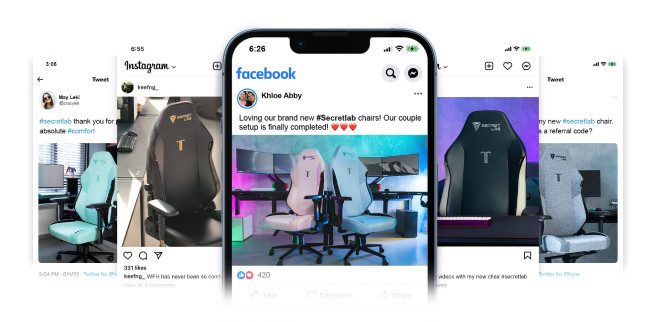
Simply show off your brand new Secretlab Chair.
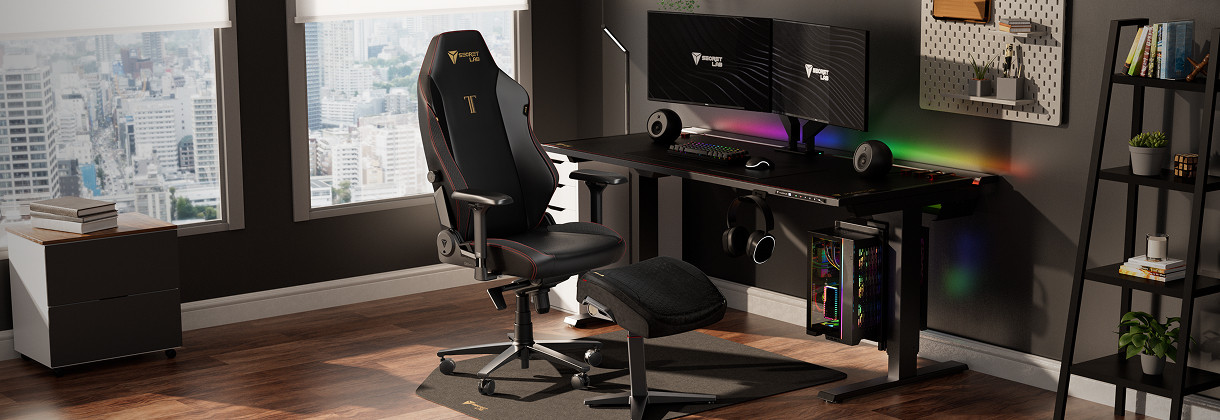
Take a photo of your new Secretlab Chair. Make sure you get a great shot of your set-up!
Post it on Facebook, Instagram, X, Reddit, Youtube, Twitch or TikTok with #Secretlab. Set your post to Public so we can view it.
Copy the post URL and submit your information below.
Fill in the form below to apply and receive a confirmation email in a couple of days.
Please check your order number.
Note: You are currently on the New Zealand Store. Applications can only be processed on the store which you have purchased your product. Click here to change region.
Set your post to public and add the #secretlab tag in your caption before posting.
Tap on the menu button on the post.
Tap "Copy Link" to receive your URL.
Set your post to public and add the #secretlab tag in your post caption.
To make your profile public, first tap the menu button located on the top right corner of your profile page.
On the side menu, tap on settings.
Tap on Privacy.
Set your account privacy to "Public".
Tap on the "More" icon
Add the #secretlab tag in your tweet.
Set your account to public and add the #secretlab tag in your tweet.
Tap on the profile tab located on the top left corner of your home page and tap "Settings and Privacy".
Tap on "Privacy and safety".
Drag the slider on "Protect your Tweets" to the left to turn it off.
Tap on the "Share" icon located at the bottom right corner of your tweet.
Tap on "Copy Link to Tweet" to receive your URL.
To set your profile to public, click on "More" that can be found on the left sidebar.
Click on "Settings and privacy"
Click on "Privacy and safety" and ensure the "Protect your Tweets" checkbox is unchecked.
Return to your posted tweet, click on the export button at the bottom right corner of your tweet.
And click "Copy Link to Tweet" to receive your URL.
Before submitting your Twitch link, clip your video to the part where your Secretlab chair is most prominent.
Once done, copy the generated link by clicking the purple icon.
Run through your video for when your Secretlab chair is most visible and pause the video at that specific time.
Click on the share button at the bottom right of your video screen and tick the 'Start at <time>' box and click 'Copy'.
To set your profile to public, click on the blue "Edit Video" button found at the bottom right of your video.
Set its "Visibility" to Public and make sure that the eye icon is green.
Tap on the share button at the bottom of your video screen.
Tap on "Copy Link" to receive your URL.
Upload your photo onto any public community and tag #secretlab in your post. It can be uploaded as a post or a comment.
Ensure your TikTok account is public. Create your TikTok post featuring your Secretlab chair or Secretlab MAGNUS desk.
Add the #secretlab hashtag in your post caption. You are encouraged to use other relevant hashtags, though not mandatory.
Tap on “Who can watch this video” and set it as “Everyone”.
Once ready, tap “Post” to share your video.
Tap on the three dots located at the right panel of your posted TikTok video.
Select “Copy link” to receive your URL.
To set your account as public, go to “Profile” and tap on the menu icon located on the top right corner of the screen.
Select “Settings and privacy” and click into “Privacy”.
Drag the slider on "Private account" to the left to turn it off.
‘Secretlab’과 ‘시크릿랩’을 해쉬태그해서 올려주세요.
공개 설정은 ‘전체공개’로 해주시고 ‘검색허용’을 꼭 체크해주세요.
‘URL 복사’버튼을 클릭하여 포스팅의 URL을 받아주세요.
‘Secretlab’과 ‘시크릿랩’ 태그를 꼭 넣어주세요.